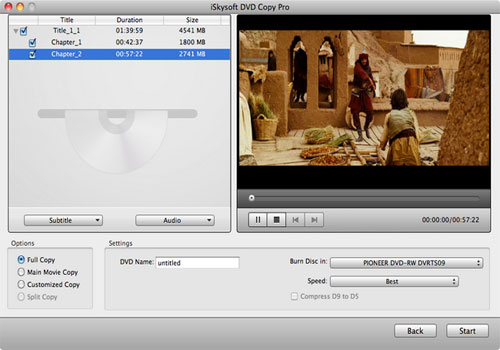
Copy DVD to ISO for Mac
An ISO image is an archive file (also known as a disk image) of an optical disc in a definite format. An ISO image includes all the data of files contained on the archived CD/DVD, or any other disc format. They are stored in an uncompressed format. In addition to data of the files it also contains all the file system metadata, including boot code, structures, and attributes.
DVD Copy for Mac has the ability to copy DVD to ISO file, burn ISO file to an optical Disc, copy ISO file to hard disc.
Copy DVD to DVD image ISO for Mac
Preparation: Insert the DVD you wish to make copy to your computer and download this Mac DVD Copy software online.Step1: Install DVD Copy and run it.
Open the .zip archive to install DVD Copy on your Mac. It will be finished in a short time. After installing, you can run it directly.
Step 2: Import DVD/DVD files.
After you launching the software, you will see the following interface:
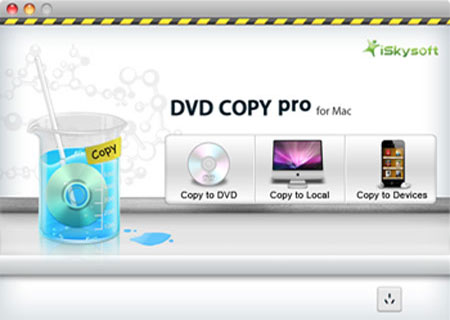
Choose where you want to copy DVD to, and click "Select" button to choose the DVD disc you inserted under devices in navigation window.
For DVD files (VIDEO_TS folder/ISO/dvdmedia), just select the folder/file and hit "Select".
Step 3: Output settings.
This DVD Copy Pro provides you with rich output settings for your DVD copy file.
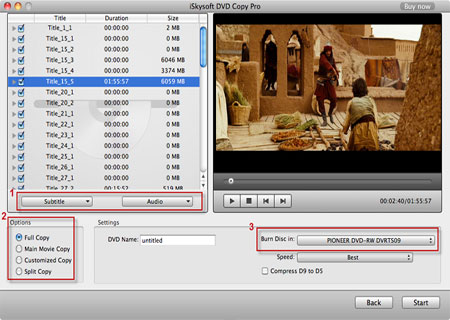
Tips:
1. Choose the Subtitle(s), audio(s).
2. Select the copy mode (optional).
Copy modes:
Full Copy: Copy the entire DVD-Video discs, DVD-Video images (.iso) or DVD-Video folders, including all the titles.
Main Movie Copy: Make a copy of the longest title contained in DVD-Video discs, DVD-Video images (.iso) or DVD-Video folders to one DVD disc, getting rid of the features and the movie trailers.
Customized Copy: Copy the selected Title(s) or chapter(s) to the new DVD Disc.
Split Copy: Split a long movie on D9 disc to two D5 Discs, preserving the quality of the movie.
3. Choose target destination.
Step 4: Start copying DVD.
After all things done, click the "Start" button and the app will do the rest copy work for you. You can let it run background and just do your stuff.