Main functions of Mac DVD Copy
- Copy DVDs to DVD-Rs
Mac DVD Copy allows you to copy commercial DVDs or duplicate homemade DVDs to DVD discs to protect them from damage or share your DVDs with others. - Rip DVDs for Apple Devices
Backup DVD to Mac, e.g. copy DVD movie to ISO file or DVD folder and backup DVD on your hard disk. - Burn DVD files to DVD Disks
Easily burn VIDEO_TS files, dvdmedia, and ISO file on your Mac to DVD disks for TV playback, vehicle DVD player, or portable DVD players. - Support Newly Released DVDs
This DVD Copy Pro for Mac do a more robust job of copying newly released commercial DVDs which adopt new copy protection technique, like Up, Avatar, etc. - Compress D9 to D5
Mac DVD Copy helps you copy DVD movie from a dual-layer disc to a DVD-R on Mac. It can compress DVD-9 movie to DVD-5 on Mac OS X with high DVD copy quality.
Note: Copying a DVD on Mac does no harm to the original DVD disc.
Main features of Mac DVD Copy
1. This Mac DVD Copy allows you to copy DVD movies without menu so that movies can start playing right away.
2. You can choose any subtitle (or without subtitle) and sound track you want for your DVD backup.
3. Support external optical driver to copy DVD if there are more than one optical driver.
4. User friendly interface makes copy DVD on Mac incredibly easy.
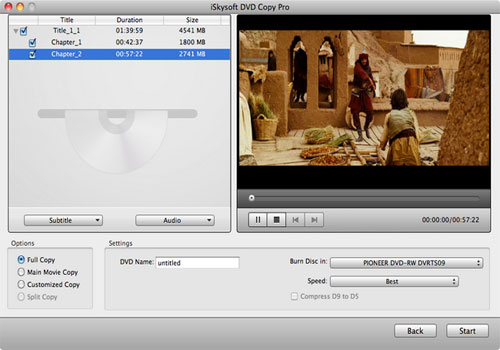
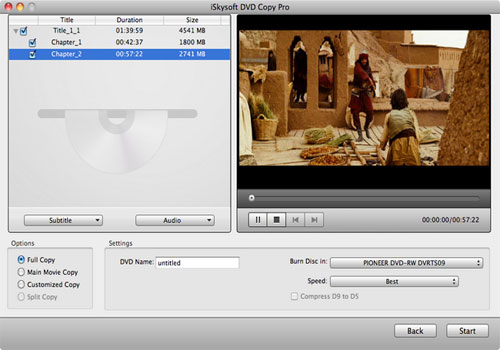
Screenshot of Mac DVD Copy software
System Requirements
MAC OS X or above operating system. At least 512M physical RAM.
* Intel-based Mac (32-bit or 64-bit)
* Fully compatible with Mac OS X 10.7 (Lion)